
Stop guessing “where is it now?”
Turn your Google Sheet into a simple QR status tracker.
Repairs, orders, equipment, and samples move—but a name and a date in a spreadsheet cannot say whether one is stuck, delayed, or ready. Give every item a clear current status without replacing the sheet your team already uses.
No spreadsheet migration. No inventory system to configure.
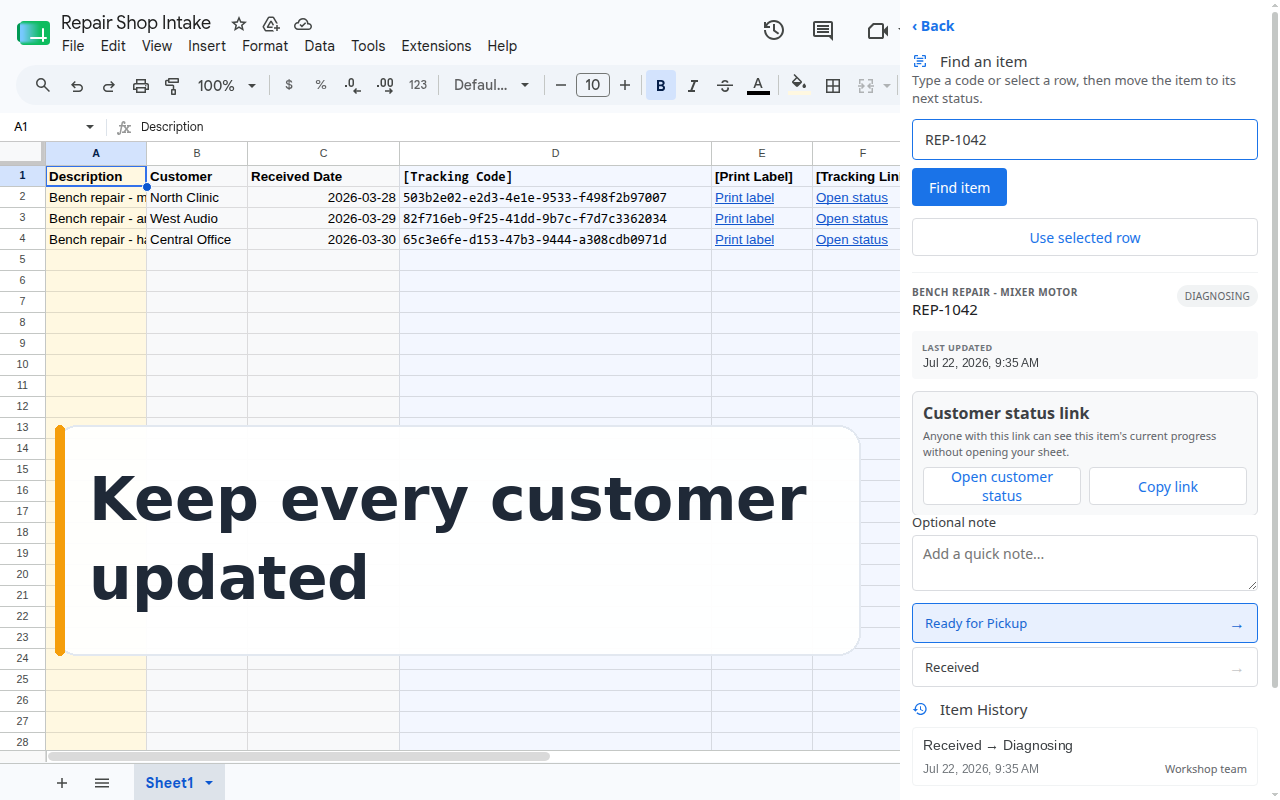
- Works inside Google Sheets
- Existing codes or new QR labels
- Status history for every item
- Optional customer tracking links
One shared answer
Replace “let me check” with a scan.
Today that answer means calling the bench, scrolling the sheet, or texting a coworker. QR Code Status Tracker adds the missing movement history next to your rows—your original columns stay exactly as they are.
A small workflow, not a new system
Start with the sheet you already have.
-
1
Choose your item sheet
Keep your repair jobs, orders, equipment, or samples in familiar rows.
-
2
Name your status steps
Use a short path such as Received, In Progress, and Ready for Pickup.
-
3
Scan and move items
Staff scan or type a code, see its history, and choose the next status.
Meet items where they are
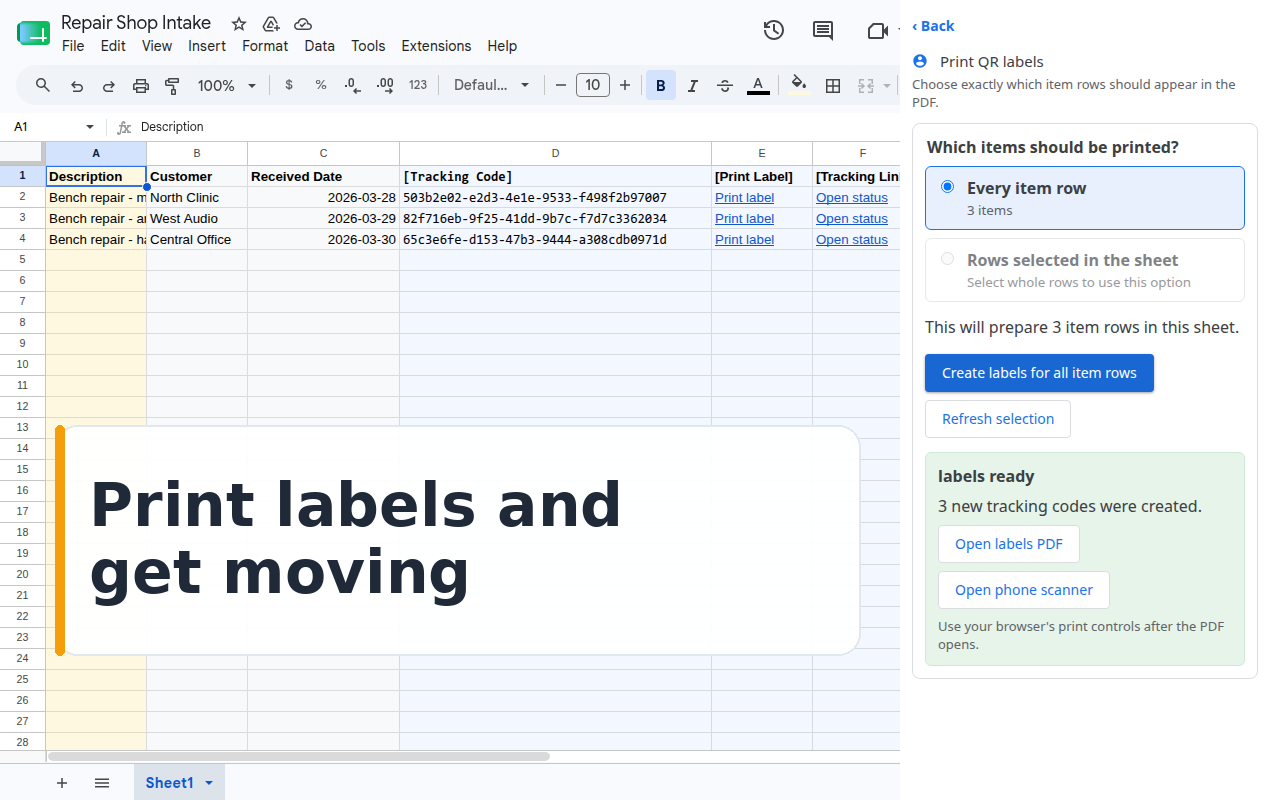
Keep existing labels—or print QR codes in one batch.
Scan repair tags, job codes, serial numbers, or barcodes your team already recognizes. If items have no suitable code, generate tracking codes and print ready-to-use QR labels.
- No relabeling when a useful code already exists
- Preview the exact label count before printing
- Tracking codes stay stable as statuses change
Fewer “is it ready?” messages
Share progress without sharing your spreadsheet.
Add an optional tracking link to each item. Customers open a focused status page showing the current status and history for the steps you choose to share—no Google account required.
Open the customer tracking page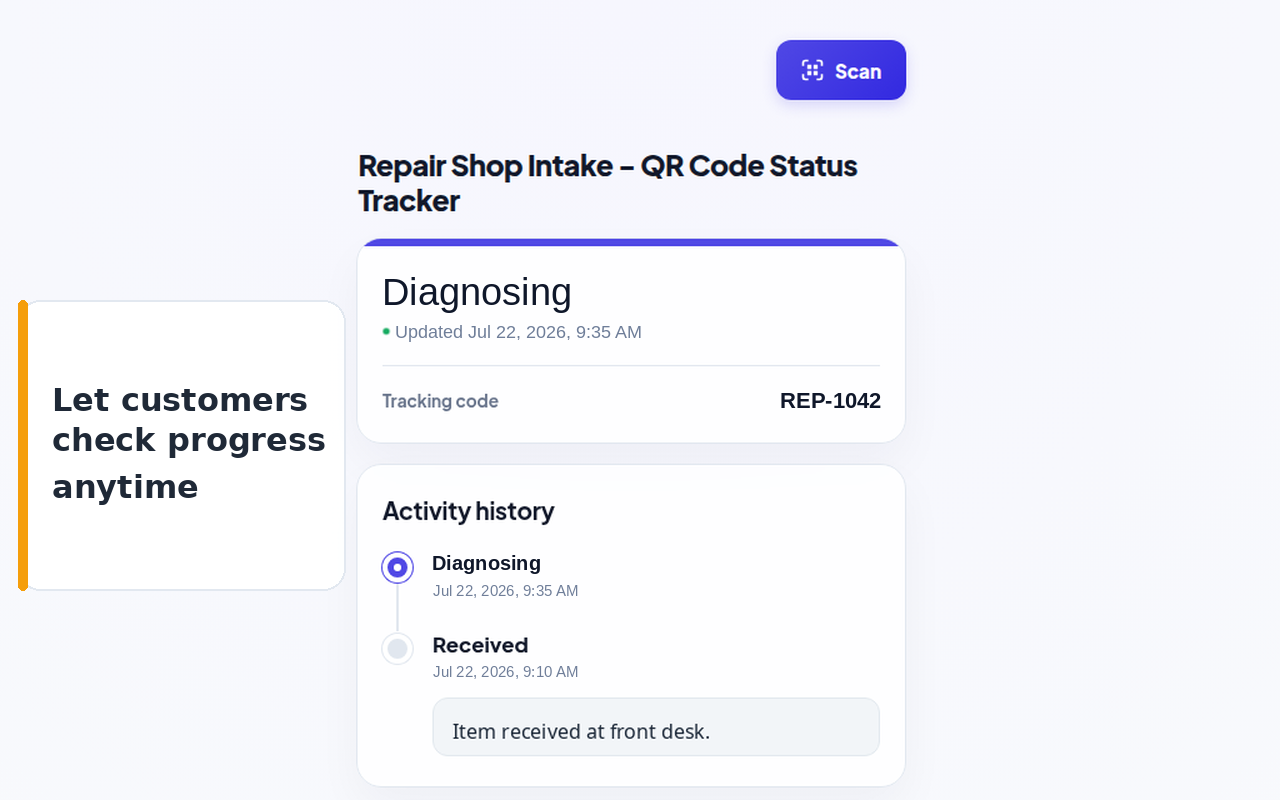
Deliberately focused
Status tracking without inventory complexity.
This add-on follows individual items through named steps. It does not add stock quantities, borrower records, or warehouse administration to a workflow that only needs a reliable current status.
Your first workflow can stay small